
RENNE PERUVIAN BISTRO · PASS SUPPORT
Your pass, at hand.
We’re here for you.
We’ll help you save and use your memberships, vouchers, gift cards and tickets. Before your visit, at the table or when you arrive at an event.
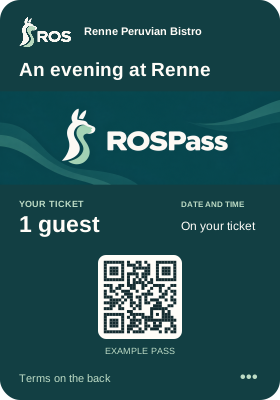
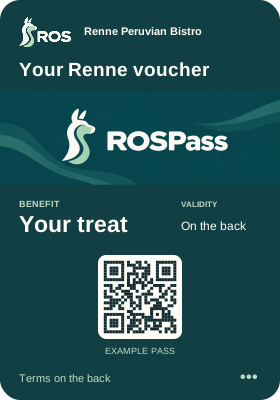
Each pass has its own terms and conditions on the back.
A PLACE FOR EVERY PASS
What’s in your Wallet?
Find help for your programme.
They’re all part of Renne Peruvian Bistro.
Have a booking confirmation or another Renne pass?
LET’S TAKE IT STEP BY STEP
A little guidance
for your pass.
Choose what you’d like to do.
We’ll show you where to look and what to tap.
Stuck on a step? Tell us which one and we’ll help you through it.
Get help on WhatsAppYOUR PASS DETAILS
You’ll also find answers
on the back.
The individual terms and conditions of each voucher, membership, ticket or gift card are clearly set out on the back of that pass.
That’s where you’ll find what it includes, its validity, how to use it and the programme’s terms. In Wallet, the back is the information or details section of your pass.
- 01 Included benefit, balance or admission
- 02 Valid dates, times and locations
- 03 Pass holder, uses, transfers and restrictions
- 04 Contact and support from Renne
GET TO KNOW YOUR PASS
The essentials,
at a glance.
The front shows your programme and its key details: your benefit, balance, membership or event.
Open the back to read the specific terms. If something doesn’t match your last visit, we’ll look into it with you.
What is a Renne pass?
Your pass keeps the details of your Renne programme on your phone: a membership, an offer, a gift card or an event ticket. Save it in Apple Wallet or Google Wallet and show it when you visit. The specific terms and conditions are on the back of each pass.
How do I save my pass on an iPhone?
Open the link you received from Renne on your iPhone. Tap the Apple Wallet button, then Add. You will find your pass in the Wallet app. The guide on this page takes you through the steps; if you get stuck, send us a message.
How do I save my pass on Android?
Open the link you received from Renne on your Android phone. Tap the Google Wallet button and confirm that you want to add the pass. If you need to install the app or choose an account, follow the instructions on your phone. Your pass will then appear in Google Wallet.
Do I need a Renne app?
You do not need a Renne app to show your passes. Save them in Apple Wallet or Google Wallet, depending on your phone. The link you received will guide you through it.
Where can I find the back of my pass and its terms?
Open Wallet, choose your pass and open its details. This is what we call the back of the pass: it clearly sets out the specific terms of your offer, membership, ticket or gift card. Choose “See the back” in our guide to find it on your phone.
How do I use my pass at Renne?
Open your pass in Wallet and show it to us before using a benefit, applying a gift card or entering an event. We can then check the details with you and help you use it.
I did not receive the link, or I cannot add my pass. What should I do?
Look for your message from Renne. If it came by email, check spam and promotions too. Open the link on the phone where you want to save the pass. If you cannot find it or see an error, tell us which pass you were expecting and we will help you.
I changed or lost my phone. How do I recover my passes?
Check Wallet on your new phone and look for the original message from Renne. If your pass is missing, contact us and we will help you recover it. If your phone was lost, let us know so we can also look into protecting your passes.
What happens if I remove a pass from Wallet?
Removing a pass only takes it out of that app. To cancel a membership, request a refund or ask for your personal data to be deleted, you need to make the relevant request. Tell us what you would like to do and we will guide you.
My balance, points or pass status have not updated. What should I do?
Connect your phone to the internet and reopen the pass. If the balance, points or status still do not match, tell us when and where you used it. Let us check the transaction together before you repeat a payment or redemption.
Can I use my pass offline or show a screenshot?
Save your pass before visiting and open it directly in Wallet. A screenshot may be out of date and does not replace validation of the pass. If you have trouble with your connection or phone, speak to our team and we will help.
Can I share the link or give my pass to someone else?
The rules for sharing or transferring a pass are on its back. If you need to change the holder or recipient, contact us before forwarding it. Sending an image or link does not, by itself, confirm that change.
How do I contact pass support?
Message us on WhatsApp at +1 (555) 337-2410. Tell us which pass you have, whether you use iPhone or Android, and what happened. If you have the pass reference handy, include it. If not, we can start with what you have.
How do I correct my details or stop receiving messages?
Tell us which information needs correcting or which communications you no longer wish to receive. We will help with your request. You can also find the relevant contact channels in our privacy policy. Removing a pass from Wallet does not send that request.
What does my membership include?
The back of your membership clearly sets out its benefits, who is included and how it can be used. Check your membership level or plan as well. If you would like to use a particular benefit on your next visit, ask us.
How do I earn points, stamps or visits?
Show us your membership when making a purchase or visit that qualifies for your programme. The back of the pass explains how its points, stamps or visits are earned. If a transaction is missing, tell us the date and we will check it with you.
How do I use a reward?
Choose your reward and let us know you would like to use it before settling your bill. The redemption terms are on the back of your pass. Identifying yourself with a membership and redeeming a reward are separate actions.
Do my points or benefits expire?
The back of your pass explains the validity of your membership, points and benefits. They may have different expiry dates. If you need to clarify a date, message us before your visit and we will help you check.
How do I change my level or renew my membership?
The back of your membership explains the conditions for moving between levels and renewing. If you want to change your plan or discuss a renewal, tell us which membership you have and what you would like to do.
Can my family, company or a guest use my membership?
The back of your membership explains who is included and how they can use it. Contact us if you would like to add a beneficiary or make a change. Sharing the card does not automatically add someone to the programme.
How do I cancel my membership?
Contact us and tell us which membership you would like to cancel. We will go through the renewal, benefits and any pending transactions with you, following the terms on the back of your pass. Removing it from Wallet does not cancel the membership.
I have two memberships or different personal details. Can they be combined?
Send us the references you have. We will check which programme and holder each membership belongs to and explain how the records can be corrected or combined.
What does my voucher include?
Your voucher may include a discount, a complimentary item, a product or an experience at Renne. Its benefit and specific terms are clearly set out on the back: what is included, where it applies and how to use it.
How do I redeem a voucher?
Open the voucher in Wallet and show it to us before requesting the benefit or settling your bill. We will check its validity and record its use with you. The specific terms for that voucher are on its back.
Can I use a voucher more than once or in part?
The back of your voucher tells you whether it can be used once, on several occasions or in part. If you received a purchased value that keeps a remaining balance, take a look at the gift card section too.
Can I combine a voucher with another offer or my membership?
The rules for combining benefits are on the back of each voucher or membership. Show us the benefits you would like to use before confirming your order and we will help you check which can be applied together.
My voucher shows as used, expired or unavailable. What should I do?
Make sure you have opened the correct voucher and check its validity on the back. If it shows as used or expired and that does not match what happened, tell us its reference and the date of your visit. We will check it with you.
How do birthday and referral vouchers work?
Each campaign has its own terms: who can take part, what they need to do and when they receive the benefit. You will find these in the programme information and on the back of the voucher. If you expected a voucher and it has not arrived, contact us.
Does my voucher reserve a table or guarantee a place?
The back of your voucher explains whether you need a reservation and how to make it. A voucher does not replace a reservation when one is required. If your pass is for an event on a specific date, check the ticket guidance too.
What is the difference between a gift card and a promotional voucher?
A gift card or gift voucher represents a value or experience purchased to enjoy at Renne. A promotional voucher provides a benefit from a campaign. Each one has its own terms and conditions on the back.
How do I buy or send a gift card?
Choose the gift card or experience and follow the purchase instructions. Before confirming, check the value, delivery details and recipient. If you would like help or need to correct something, send us a message.
I bought a gift card, but the recipient has not received it. What should I do?
Check the delivery method and recipient details in your confirmation. If it was sent by email, ask them to check spam and promotions too. If they still cannot find it, send us the purchase reference and we will help with delivery.
Where can I check my balance?
Open your gift card in Wallet to see its balance. Its specific terms of use are on the back. If the balance does not reflect your last purchase, or you have a question, contact us before paying again and we will check it with you.
Can I use part of the value and spend the rest later?
The back of your gift card or gift voucher explains partial use, remaining balances and purchases that exceed the available value. Before you pay, we can help you check how to apply it to your bill.
Can I top up a card or use several cards together?
The options for topping up or using several cards are set out on the back of each one. Tell us what you would like to do and send the references you have so we can help you use them correctly.
Does the gift card or experience have an expiry date?
You will find the validity and terms of the card or experience on the back of your pass. Check them before planning your visit. If you need to clarify a date, we are a message away.
Can I request a refund, change the recipient or ask for an adjustment?
Send us the purchase reference and tell us what you need to change. We will review the card and its use with you, following the terms on its back. Keep the purchase confirmation while we work through the request.
What should I check before the event?
Check the event name, date, time and venue. The back of your ticket sets out its specific admission terms and guidance for guests. Save the ticket before you leave and make sure your phone is charged.
How do I enter with my ticket?
Open the event ticket in Wallet and show it to our admission team. If you have several tickets, present the one for each person or session. The specific entry conditions are on the back of each ticket.
I bought several tickets. Do we need to arrive together?
The back of your tickets explains how entries from the same purchase are delivered and presented. If you plan to arrive separately, contact us beforehand so we can guide you through allocation or transfer.
Can I transfer a ticket or change the guest?
The rules for changing the guest or transferring a ticket are on its back. Contact us so we can help with the process. Forwarding a screenshot or purchase message does not confirm a transfer.
Can I leave and come back in?
The back of your ticket explains whether it allows re-entry, several sessions or different dates. Before leaving, ask our team how re-entry is recorded for that event.
What happens if the date changes or the event is cancelled?
Check the messages from Renne about the event. We will explain the changes and the available options there. The specific terms are on the back of your ticket. If you need us to review your purchase, send us its reference.
My ticket will not open, shows as used or does not work at the entrance. What should I do?
Speak to our admission team and explain what is happening. Have the event name or purchase reference ready. You can also message us on WhatsApp. Let us check the situation before you buy another ticket.
Does an invitation or multi-event pass work like an individual ticket?
The back of your invitation or multi-event pass clearly states which people, dates or sessions are included and whether you need to confirm attendance. Check this before each visit; if you have a question, we can look at it together.
Can I receive other types of Renne passes?
Yes. Alongside memberships, vouchers, gifts and tickets, you may receive reservation confirmations, invitations and other passes connected to Renne programmes. The back of each pass explains what it represents, how to use it and its specific terms.
We couldn’t find a question with those words.
Try “balance”, “gift”, “terms” or “ticket”. You can also tell us what happened on WhatsApp.
RENNE PASS SUPPORT
Tell us what happened.
We’ll look into it together.
This WhatsApp number is dedicated to your Renne Peruvian Bistro memberships, vouchers, gift cards and tickets.
Pass support on WhatsApp +1 (555) 337-2410A few details
to get us started.
- Which pass you have.
- Whether you use an iPhone or Android.
- What happened or what you need to do.
If you have your pass ID handy, share it with us. If you don’t, tell us what you can and we’ll start there.